
Wills: updating your adeus will
Although it is legal to create an amendment to change specific section of your current will, known as a ‘codicil’, we don't recommend that. It's an antiquated approach, a remnant of the days when a will was handwritten and was time consuming to fully update.
We recommend you review all of your instructions to ensure they meet your needs, and create a new will. This is simpler and reduces any risk of lost pages, or confusion as to which version is the most recent.
However, sometimes you just want to make a small update. Perhaps you wanted to add a new child or pet, or change a gift, or add a new beneficiary. Instead of needing to create a new will from scratch, you can use your most recent Approved will as a template. You can then review and change only the information that reflects your new wishes, or update any information that is out-of-date.
To use your most recent Approved will as a template follow these simple steps:
Step 1: Click the orange ‘Create new Will’ button in the top right of the page, or click the 'use as a template' icon.


Step 2: From the Pick your Starting Point box, choose if you want to Start Fresh or Use Previous Will.
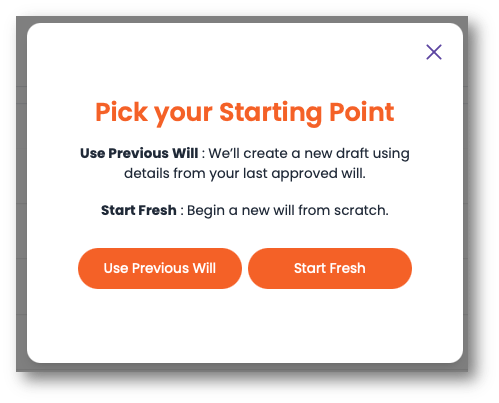
Step 3: If you choose to use a Previous WIll as a template, the adeus Will Generator will be pre-poulated with all of the information from your previous will.
Step 4: Simply review the information, and make any updates or corrections.
Step 5: When you have updated your will, simply View Summary then click Generate Will to confirm the information is correct.
Step 6: Your new Will will be reviewed by our team, and you will receive an email to confirm ti's been reviewed and approved, this usually happens within one business day.
The rest of the process is the same as when you created your previous adeus will. Once approved you can view, print, sign and upload a scanned copy of your signed will for safe keeping.