Wills: create a PDF on iPhone
You can quickly and easily create a PDF of your will with your iPhone ‘Notes’ and ‘Camera’ apps.
1. Open the Notes App on your iPhone
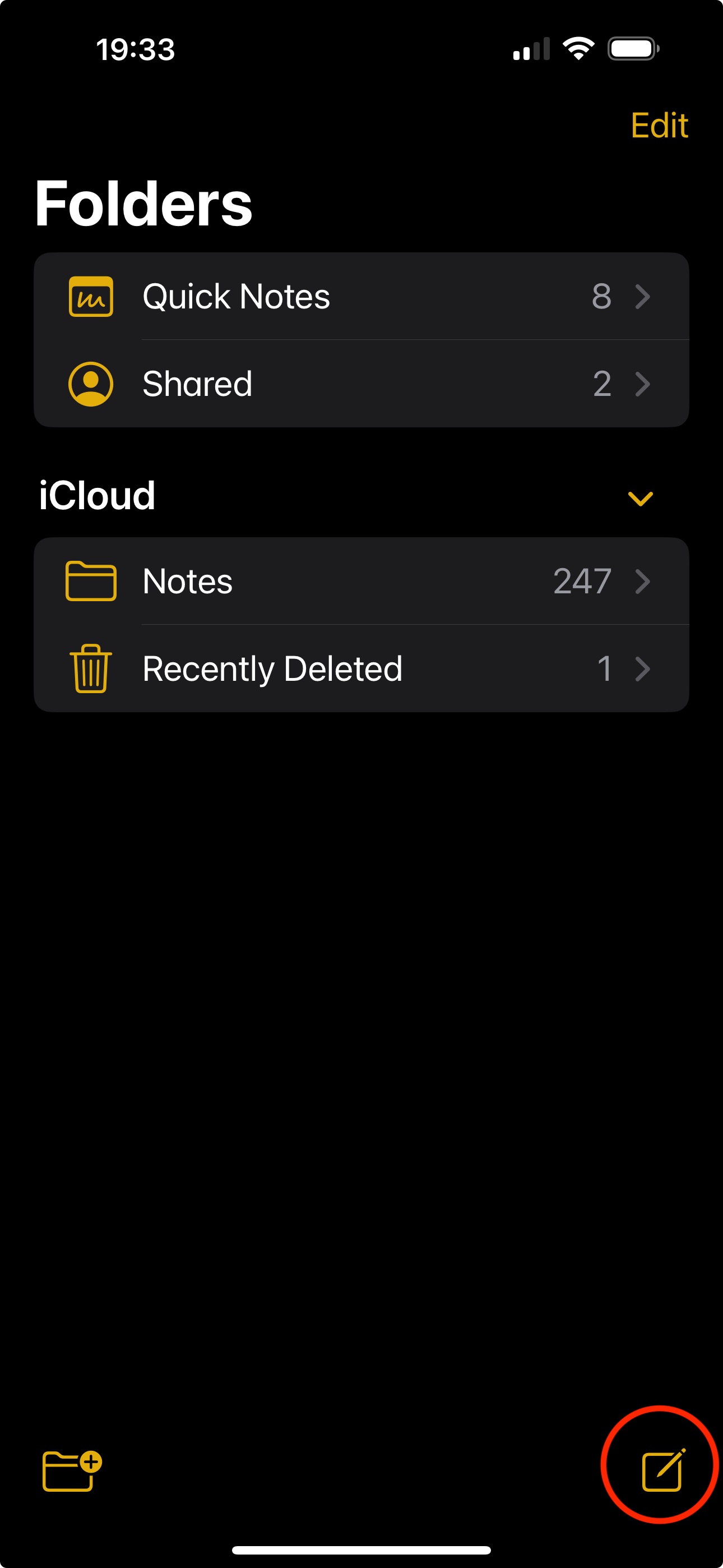
2. Click the Create New Note icon
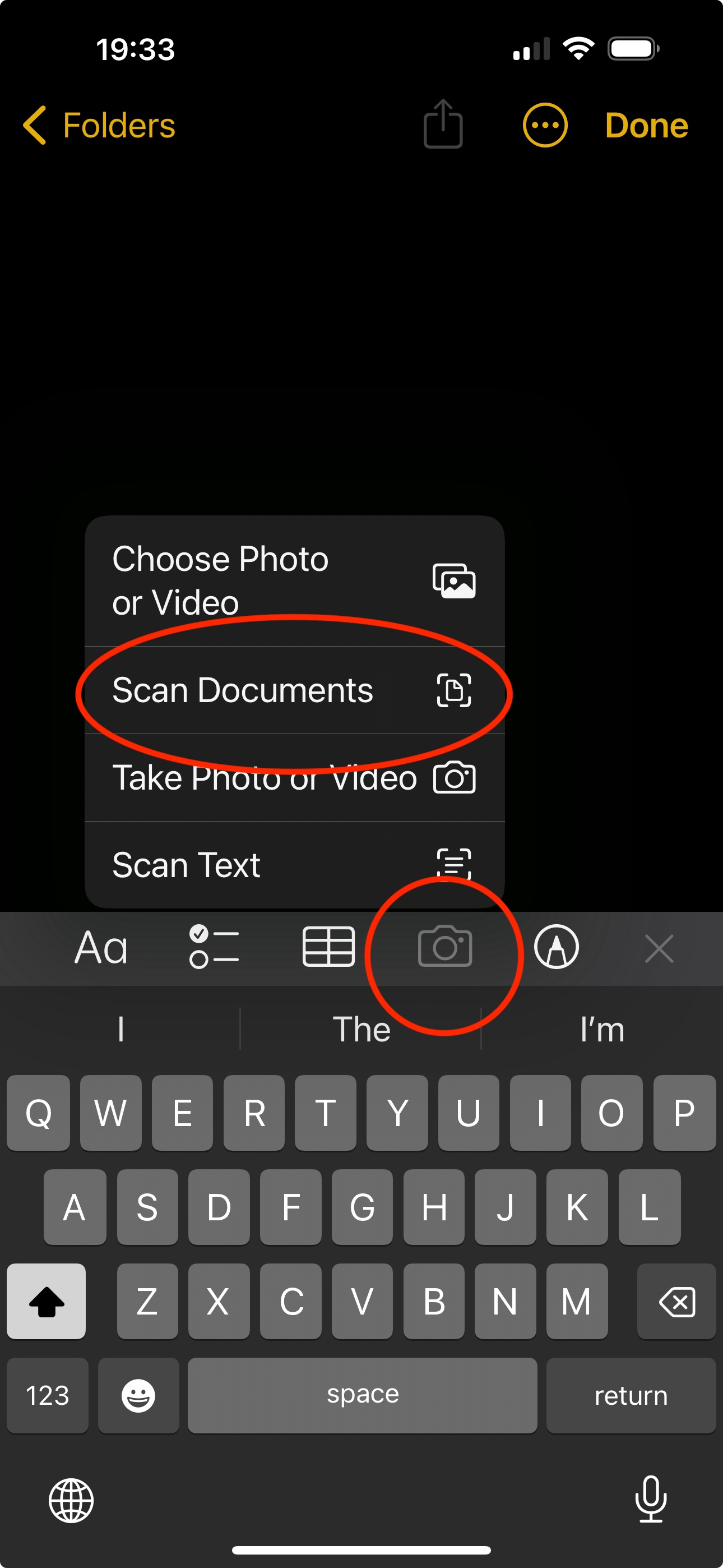
3. Click the Camera icon
4. Choose ‘Scan Documents’ from the menu
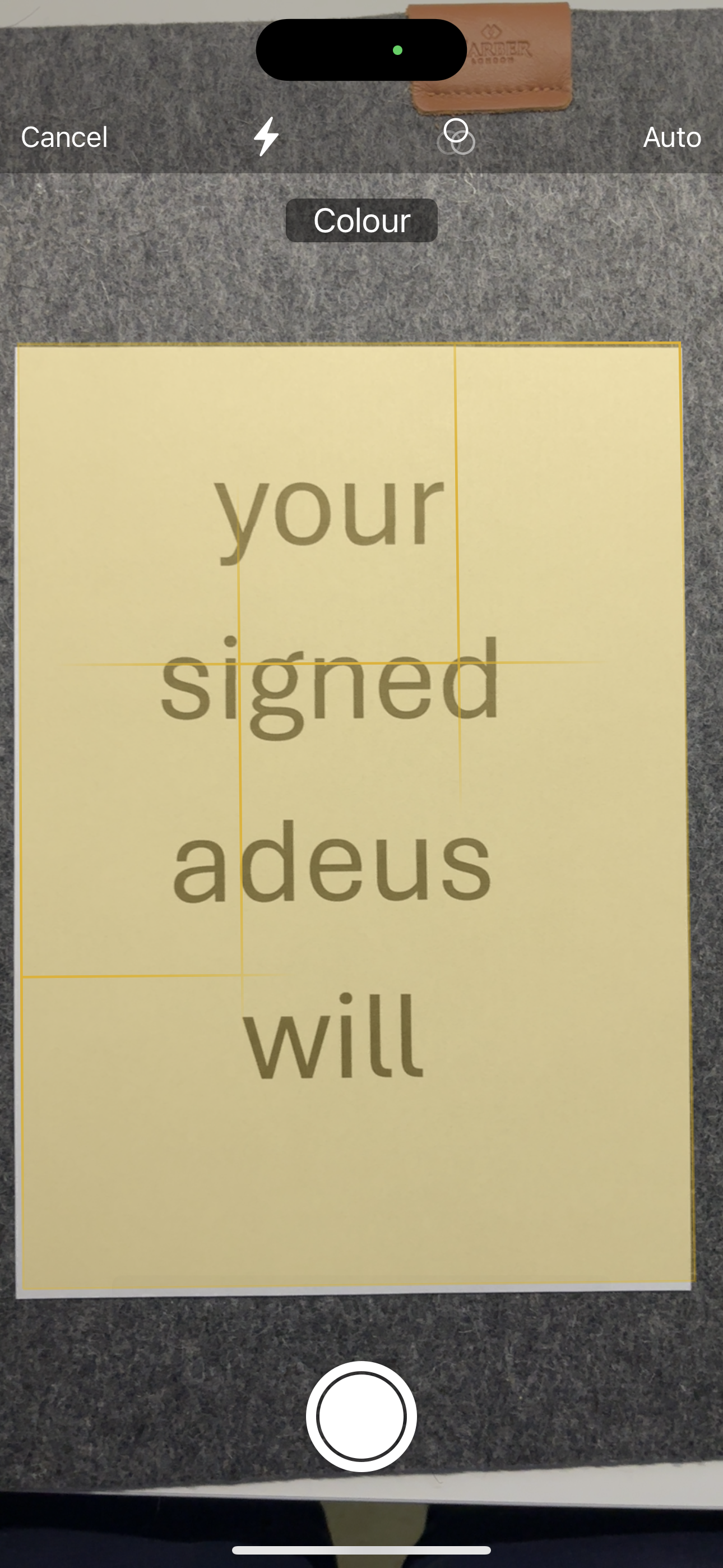
5. Position the first page of your signed will in the camera window
6. Hold still and the iPhone will automatically take a photo of the page
7. If you have multiple pages, simply position the next page(s) in the camera window
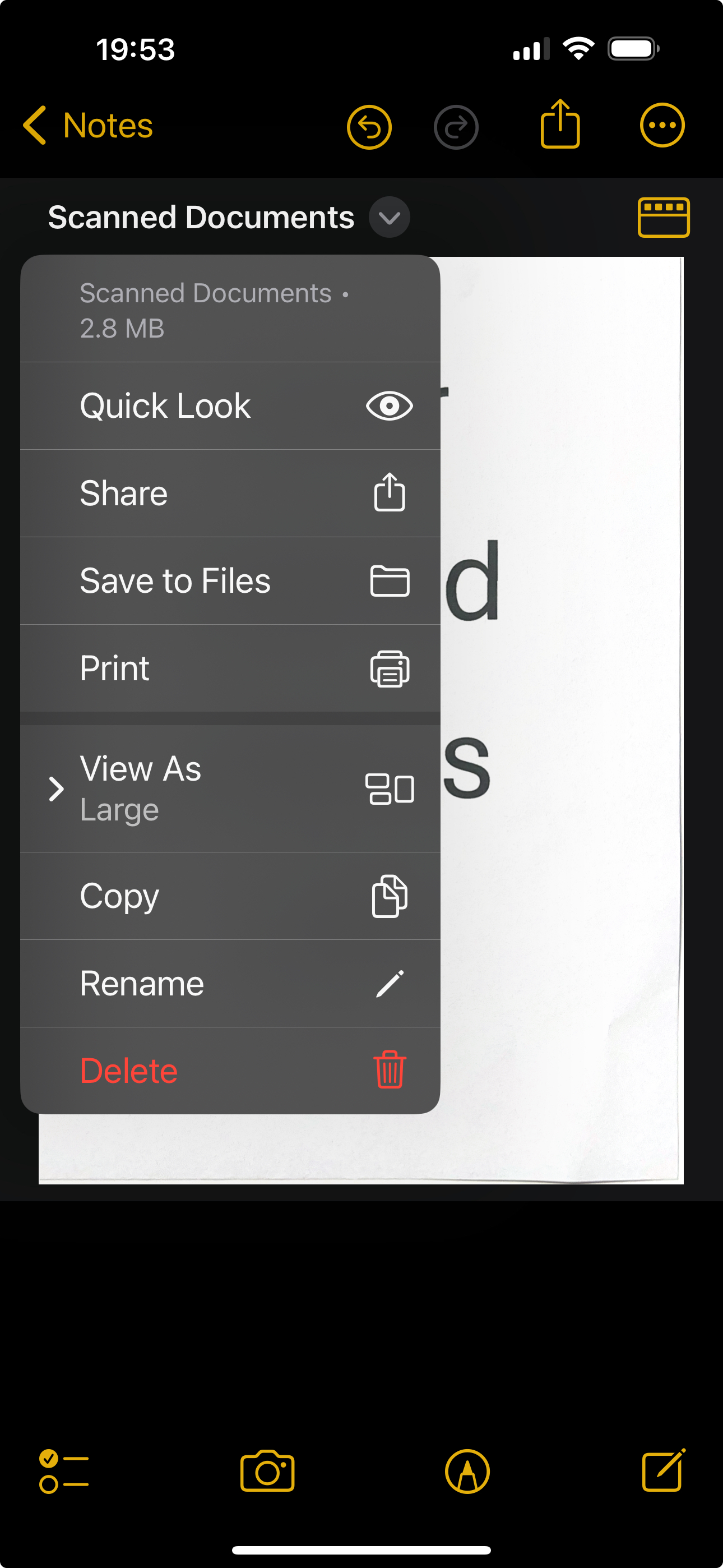
8. Once all pages have been captured, click Save
9. A PDF copy of your signed will is not available in your Notes app. You can Share or Save to Files ready to store an electronic copy to adeus.