
adding photos or videos from your mobile phone
If you're using your mobile phone on the go, you can easily add a file, photo or even video to your adeus Digital Vault, even when you are out and about. It only takes a few seconds so you can use the Digital Vault for your Life Admin, and capture important photos or videos to store privately and securely.
Simply follow these steps:
- Open the category you want to add the photo or video to, for example Banking & Investments
- Click the 'Upload File' button
- Click the 'Add File' Button
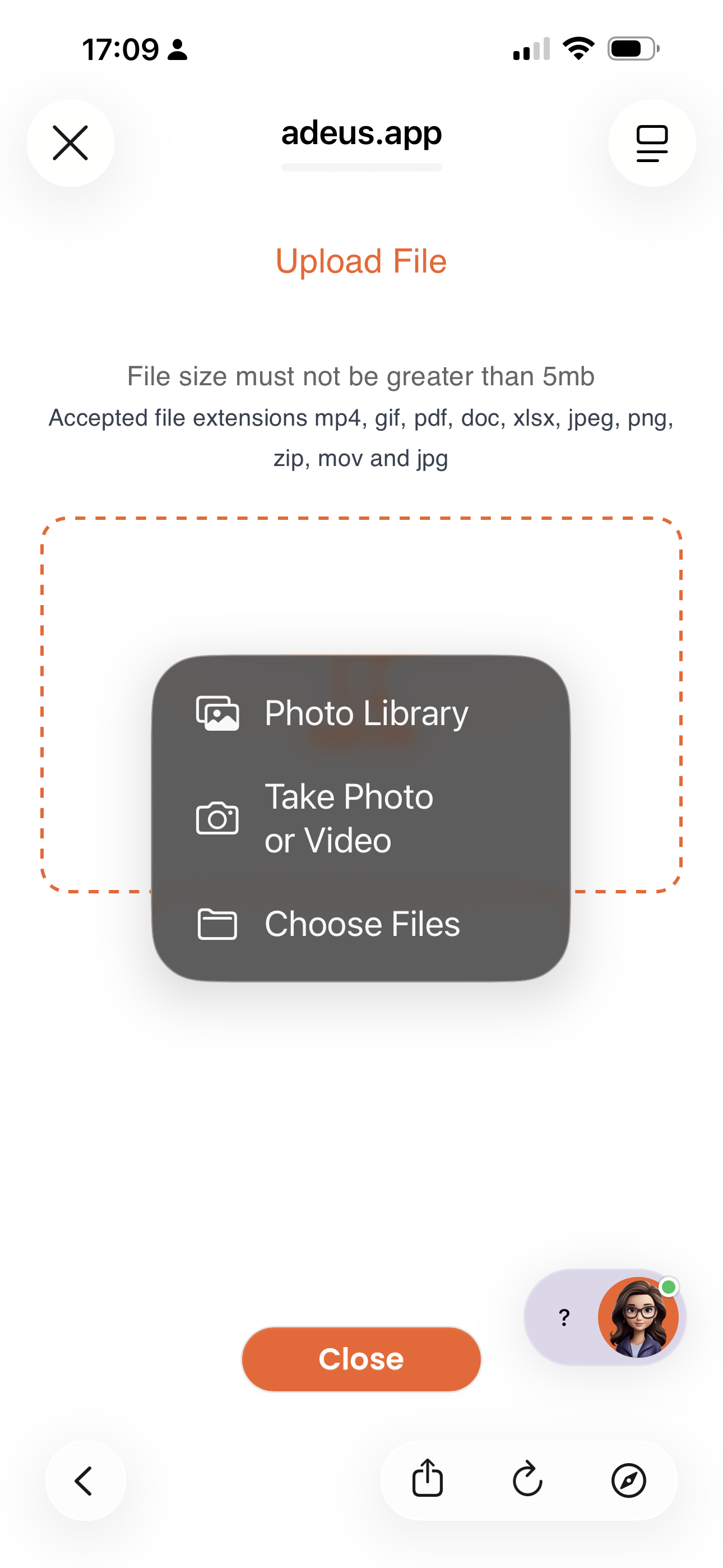
- Depending on your phone, choose how you would like to upload the file, photo or video
- If you use an iPhone your choices are: Photo Library, Take Photo or Video, Choose Files (from your iCloud drive)
- If you use an Android phone, the options are similar but depend on the Brand and Model
- If taking a photo or video simply click the capture button
- When the photo or video is taken, click 'Use Photo' and the image will automatically open
- You're done. The photo or video is saved and available in your adeus Digital Vault
Uploading files, photos and videos is available for paid subsribers on Premium or Legacy subsciption plans.
As with all info and files in your adeus Digital `Vault, the photos and videos stored are included in the adeus Executor Toolkit for your Executor or Key Contacts to access and download after your have passed, or as per your Power of Attorney.
 How this fits your My Legacy Plan
Uploading your important documents is a step in your My Legacy Plan. Uploading any document to a Digital Vault category completes this step and moves your Legacy Plan progress forward. Uploading files is available on the Premium and Legacy plans.