Digital Vault Reminders
Never forget the expiry date of an important account, membership or subscription again using adeus Reminders.
What are Reminders?
For categories of information that have expiry dates - for example, mortgages, loans, insurance, utilities, visas - you can include an expiry date. We'll send you a reminder by email, and include a notifcation in your adeus account as a reminder.
How do I add a Reminder?
Simply include an Expiry Date when you add a new Account or item.
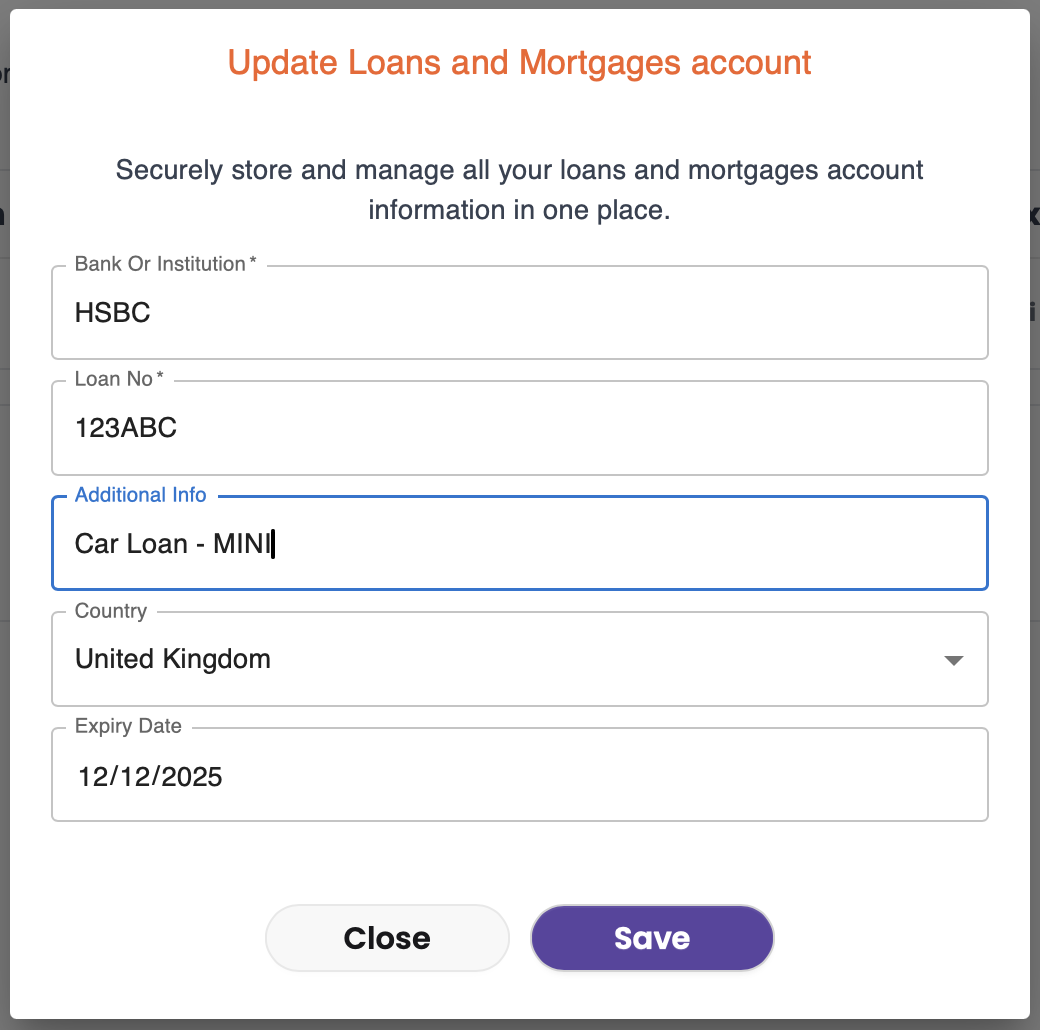
For accounts already in your Digital Vault, simply click the <eye> icon to open the entry to edit. Click save and you've not set an expiry date for reminders.

When are Reminders Sent?
We'll send you a reminder 30 days before the expiry date, a gentle nudge 7 days before, and a reminder on the expiry date. For any accounts or items that have expired, we'll send you one last reminder 30 days after it's expired so you can delete or update it.
Which Categories have Reminders?
You can add expiry dates, which automatically trigger Reminders in:
- Insurance
- Loans & Mortgages
- Utilities & Bills
- Memberships & Subscriptions
- Visas & Immigration
If you need help with Reminders, or anything else in the adeus Digital Vault, just ask Ady - our helpful AI chatbot - for help or guidance.
How do I access a Reminder?
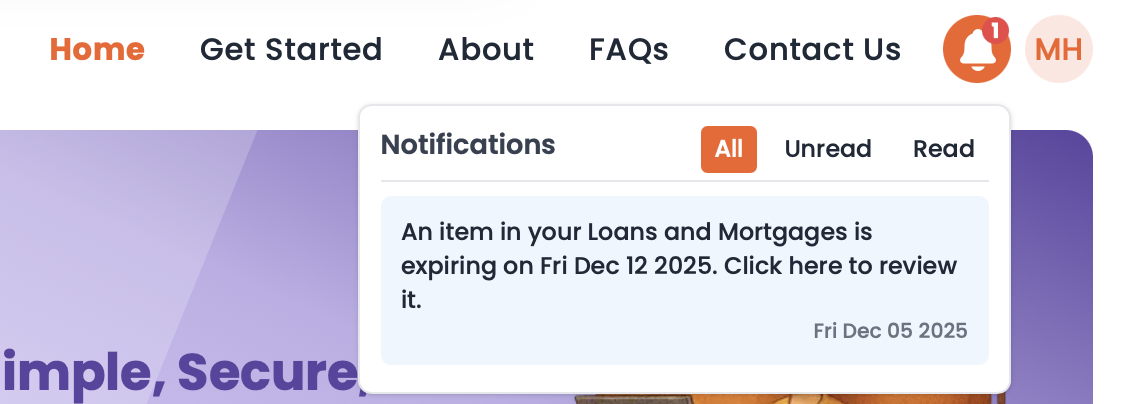
Click the bell icon at the top right of the adeus home page, notifications are sorted in date order. Simply click the notification to be taken directly to the relevant category so you can review and update the account or item directly.